

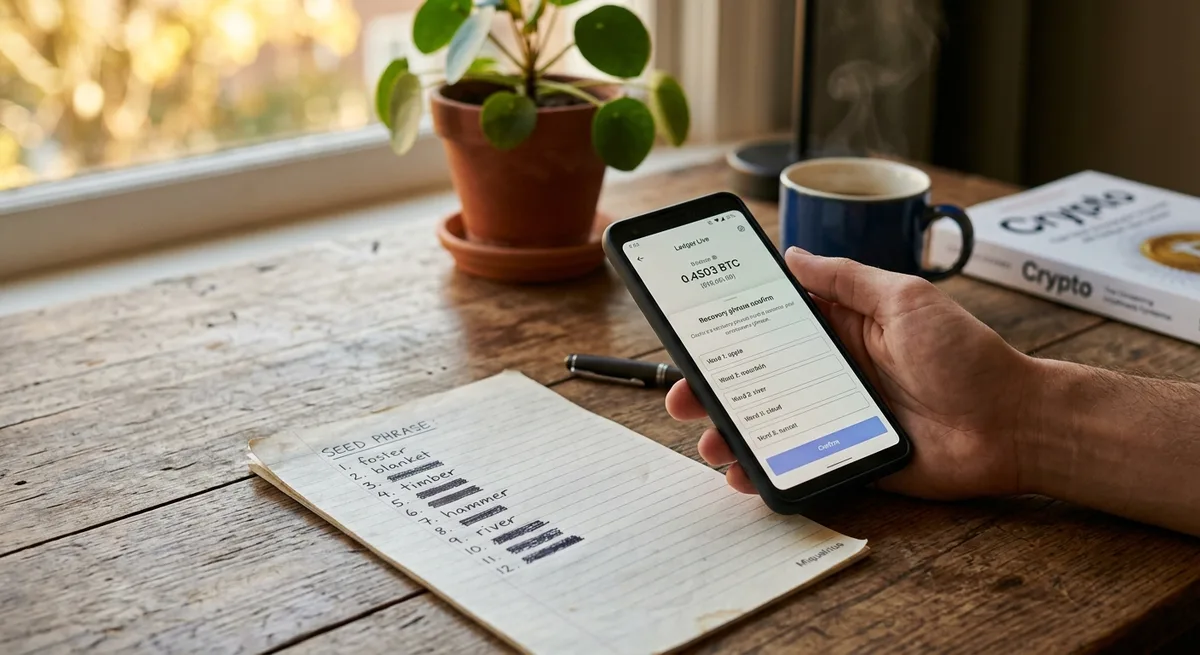
Losing a seed phrase is one of those moments that hits harder than most people expect. One minute you’re confident, the next you’re searching every drawer in your house wondering how you ended up here. If that’s where you are right now, take a breath. A lost crypto seed phrase is a serious problem, but it doesn’t always mean the worst-case scenario, and panicking rarely leads to good decisions in crypto.
This guide walks through what a seed phrase actually does, what realistic recovery options may still exist, the mistakes you’ll want to avoid, and how to protect future wallets so this doesn’t happen again. No false promises, no scare tactics. Just a calm look at where you stand and what you can actually do next.
What a Seed Phrase Is and Why Losing It Matters
Before figuring out what to do, it helps to understand what you’ve actually lost. A seed phrase isn’t just another login detail you can reset by clicking “forgot password.” It’s the foundation your entire wallet is built on, and the rules around it are different from anything you’re used to in traditional finance.
Seed Phrase Explained: The Master Key to Your Wallet
A seed phrase is a sequence of words, usually 12, 18, or 24, that your wallet generates when you first set it up. Those words are a human-readable version of a much larger cryptographic secret. Feed them into a compatible wallet on any device, and you recreate full access to your funds.
That’s the useful part. The uncomfortable part is the flip side: anyone who has those words has your money. There is no “owner verification” step. The blockchain doesn’t know who you are. It only knows whether the right keys signed a transaction. If you want a deeper look at how different wallets handle this, Bitcoin Wallets Explained covers the main types and how they store keys behind the scenes.
Seed Phrase vs Password vs Private Key
These three terms get mixed up constantly, and the confusion isn’t harmless. A wallet password usually unlocks a specific app on a specific device. It’s local. Reinstall the app on a new phone and that password means nothing.
A private key controls one specific address. A seed phrase is the master that can regenerate all your private keys across all addresses in that wallet. So the password is a doorknob lock, while the seed phrase is the deed to the building. Lose the doorknob and you call a locksmith. Lose the deed and there’s no central registry to issue you a new one. That distinction is the whole reason self-custody is both powerful and unforgiving, something Self-Custody: Why Your Keys Matter walks through in more detail.
What Actually Happens If You Lose Your Crypto Seed Phrase?

The honest answer is: it depends. The consequences vary enormously based on whether you still have a working wallet open somewhere, and whether anyone else might have seen the phrase. Let’s separate the scenarios.
If You Still Have Access to the Wallet App
This is the best place to be if you have to be anywhere. Your wallet still opens on your phone, your laptop, or your hardware device. The seed phrase is gone, but the funds aren’t.
In this scenario you have a window, not a guarantee. You can create a new wallet with a fresh seed phrase (this time properly backed up), and transfer your funds over. Don’t wait a week to “get to it.” Phones break, apps update, devices get wiped. The moment you realize the backup is missing is the moment to plan the move.
If You Lost the Device Too
This is where things get harder. No seed phrase and no working wallet means you’re dependent on whatever traces of the wallet still exist somewhere: an old phone in a drawer, a laptop you stopped using, an external drive, a cloud backup you forgot you enabled. Some wallets sync to iCloud or Google Drive if you opted in years ago. Some desktop wallets keep encrypted wallet files in known folders.
It’s not a guaranteed path, but it’s worth checking carefully before you accept the worst. People have found access on devices they’d written off.
If Someone Else Finds Your Seed Phrase
This is the situation people underestimate. “Lost” sometimes means “lost from my own records, but possibly visible to someone else.” A roommate, a cleaner, a former partner, a photo backed up to a shared cloud account, a notebook left in a hotel room. If you have even a faint suspicion the phrase may have been exposed, treat the wallet as compromised.
If you still have access, move the funds immediately to a new wallet with a new seed phrase. Don’t analyze it for three days. Social engineering and crypto theft go together, and How to Spot Bitcoin Scams covers the kinds of tactics worth knowing about even after the immediate emergency.
Can You Recover Crypto Wallet Access Without the Seed Phrase?
Here’s the question everyone Googles first. Can you recover crypto wallet access without the seed phrase? Sometimes yes, sometimes no, and the answer hinges on whether any other valid access path still exists.
Recovery Is Possible If You Still Have an Unlocked Wallet
If the wallet is open, you don’t need to “recover” anything in the traditional sense. You need to migrate. Create a new wallet, write down the new seed phrase on paper or stamp it into a metal backup, verify you wrote it correctly, then send your funds across.
What you absolutely don’t do: screenshot the new seed phrase, save it in a note app, email it to yourself “just in case,” or store it in a password manager that syncs to the cloud. That’s how people end up here twice. For a deeper look at storage habits that actually hold up, How to Store Bitcoin Safely is worth a read.
Recovery May Be Possible Through Wallet Files or Device Backups
Some desktop wallets, especially older Bitcoin clients, store an encrypted wallet file locally. If you know the password for that file, you may be able to restore access by importing it into a compatible wallet. Mobile wallets sometimes back up to iCloud or Google Drive. Browser extensions may retain data tied to your browser profile.
Before you delete anything, uninstall an app, or factory-reset a device, stop. That old phone you were about to wipe could be your only remaining route in. Move slowly here. Take notes. If you’re unsure what kind of file or backup you’re looking at, search the wallet’s official documentation rather than guessing.
Recovery Is Usually Not Possible If No Access Path Exists
This is the hard truth. If there is no seed phrase, no private key, no wallet file, no working device, and no custodial exchange account holding the funds, recovery is generally not possible. The cryptography that protects your wallet is the same cryptography that protects it from you when you’ve lost the keys.
There are edge cases. People sometimes remember half a phrase, or find an old backup years later. But in the strict scenario where every access path is gone, the funds remain on the blockchain, visible but unreachable. That’s the trade-off of self-custody, and Self-Custody Explained: Why Not Your Keys, Not Your Coins Matters explains why that trade-off exists in the first place.
Step-by-Step Checklist After Losing a Crypto Seed Phrase
When you’re stressed, structure helps. Here’s a sequence to work through instead of bouncing between ideas.
Step 1: Confirm Whether You Still Have Wallet Access
Open every device that might have a wallet installed. Your current phone, your old phone in the drawer, your laptop, your work laptop, any browser where you may have installed an extension wallet. Check hardware wallets. Check secondary browsers you haven’t used in months. You’re looking for one working entry point. One is enough.
Step 2: Identify the Wallet Type
Recovery options depend heavily on what kind of wallet you’re dealing with. A custodial account on an exchange has password reset and identity verification, which is the easiest case. A hot wallet on your phone is different from a cold wallet on a hardware device, which is different from a browser extension. The differences matter because each type has its own quirks around backups and recovery. Cold Wallet vs Hot Wallet Safety breaks down the practical distinctions if you’re not sure what you have.
Step 3: Search for Physical and Digital Backups Carefully
This is where patience pays off. Check notebooks, the back of old journals, safes, envelopes, drawers you haven’t opened in a year. Metal backup plates if you ever bought one. Password managers (some people store seed phrases there, even though they shouldn’t). External drives. Printed documents stuffed into folders. Old phones still sitting in a box.
Do this in private. Don’t search at a coffee shop, don’t film yourself looking, don’t post about it online while you’re doing it.
Step 4: Move Funds If the Wallet Still Works
If somewhere in that search you confirm the wallet still opens, treat that as your green light to migrate. Create a new wallet, back up the new seed phrase properly (paper or metal, stored offline), and send a small test transaction first. Once that arrives safely, move the rest. The test transaction step feels paranoid until the one time it saves you from sending everything to the wrong address.
Step 5: Document What You Tried
Keep a private offline note of what you’ve already checked. Which devices, which folders, which wallet names you remember using. If you ever consult a professional, this saves time. If you don’t, it stops you from running in circles repeating the same searches a month later.
Lost Bitcoin Wallet: What Makes Bitcoin Recovery Different?
A lost bitcoin wallet follows the same fundamental rules as any other crypto wallet recovery: access depends on the seed phrase, the private key, a wallet file, or an already-unlocked wallet. The blockchain itself can’t help you. But there’s a piece of mental framing worth getting straight, because it changes how people approach the problem.
Bitcoin Is Not Held Inside the Wallet App
Your wallet app doesn’t store your Bitcoin. It stores the keys that prove you own certain outputs on the Bitcoin blockchain. The coins themselves are entries in a public ledger that everyone in the network maintains.
That’s why reinstalling the same wallet app on a fresh phone doesn’t restore your funds. The app is empty by default. It only knows what to show you once you give it the right keys, which is exactly what the seed phrase provides.
Why the Blockchain Cannot Restore Your Funds for You
There’s no customer service line for Bitcoin. No password reset email. No fraud department reviewing your case. The network is designed so that no central party can move funds without the correct signature, which is the same property that makes it censorship-resistant and the same property that makes lost keys unrecoverable.
That cuts both ways, and it’s part of what makes the design robust against attacks. What Happens If a Blockchain Gets Hacked? covers the security side of that trade-off if you want to understand the broader picture.
Private Key Backup: What to Check If the Seed Phrase Is Missing
Sometimes the seed phrase is gone but other forms of private key backup exist. Whether that helps depends on what kind of wallet you used and what you exported in the past.
Check Whether You Ever Exported a Private Key
Some wallets let you export the private key for an individual address. People do this for various reasons: moving to a different wallet app, sweeping funds, or just out of curiosity. If you ever did this and saved the result somewhere, that key alone can give you access to the funds on that specific address.
Be careful, though. Typing a private key into any wallet on a compromised computer is asking for it to be stolen. If you’re going to import a private key, do it on a clean device and assume the device may already be watched if you’re not sure.
Check Hardware Wallet Recovery Options
If you used a hardware wallet, the device itself is the access point. If you still have the device and remember the PIN, you have access, even without the seed phrase. From there, you can move funds to a new wallet where you’ll properly back up the new seed phrase.
If the hardware wallet is lost, broken, or reset, and there’s no seed phrase, recovery is usually not possible. The whole point of the device is that nothing useful leaves it, which protects you against attackers and unfortunately also against yourself in this specific scenario. How Hardware Wallets Protect Crypto explains why the device is built this way.
Common Mistakes to Avoid After Losing a Seed Phrase
Stress makes people do things they’d normally see through in a heartbeat. Scammers know this, and they wait for exactly these moments. A few patterns to refuse, no matter how good the offer sounds.
Do Not Enter Your Seed Phrase Into Random Recovery Websites
Search “wallet recovery” and you’ll find a flood of sites promising to restore access. Most of them are phishing pages. The moment you type your seed phrase into a form on an unknown site, the wallet is drained, sometimes within minutes.
Legitimate recovery never requires you to expose your seed phrase to a website or a stranger. If anyone asks for it, the answer is no. Bitcoin Scams: Common Frauds to Avoid goes through the common playbooks if you want to recognize them more quickly.
Do Not Share Screenshots, Wallet Files, or Partial Phrases Publicly
Even partial information is dangerous. Attackers can combine a few words of a seed phrase with public wallet addresses, transaction history, and a bit of social engineering to do real damage. Wallet files, screenshots of wallet apps, and even photos of paper backups have all been used against the people who shared them “just for context” in a public forum.
Do Not Keep Using a Wallet With No Backup for Large Balances
If the wallet still opens but the seed phrase is gone, that wallet is on borrowed time. One software update, one phone replacement, one accidental wipe, and the funds are stuck. Don’t talk yourself into “it’ll be fine for now.” Move the funds to a properly backed-up wallet. The transfer takes ten minutes and removes a constant background risk.
When to Consider Professional Wallet Recovery Help
There’s a narrow band of situations where a professional recovery service can genuinely help. Set expectations honestly: they cannot magically bypass cryptography. What they can sometimes do is help with specific technical problems where partial information still exists.
Situations Where Recovery Experts May Help
Cases where professionals occasionally succeed include forgotten wallet passwords (where the encrypted wallet file still exists), corrupted wallet.dat files, partially remembered seed phrases, damaged hardware that may still hold readable data, and old hard drives that need forensic recovery.
The common thread is that some piece of the puzzle survives. No fragment, no recovery. Anyone telling you they can recover funds with nothing to work from is either lying or about to scam you.
How to Vet a Recovery Service Safely
A few things to look for. Reputation that exists outside their own website. No request for your seed phrase upfront. A clear fee structure, ideally success-based with no large upfront payments. A real legal business identity you can verify. Secure communication channels.
Red flags to walk away from: guaranteed recovery claims, demands for upfront crypto payments, pressure tactics, anyone reaching out to you unprompted offering to help. The good services don’t need to chase you.
Community Resources That May Help Without Risking Your Wallet
You’re not the first person to go through this, and there are communities where people share what worked and what didn’t. The trick is using them safely.
What You Can Safely Share When Asking for Help
You can share the wallet name, the device type, the operating system, a general description of what happened, and whether you still have access. That’s usually enough for someone knowledgeable to point you in a useful direction.
What you don’t share: seed phrases (even partial), private keys, wallet files, screenshots of wallet apps, exact balances, transaction IDs that link back to your wallet, or personal identifying information. Reddit subs like r/Bitcoin and wallet-specific subreddits, GitHub issue threads for the wallet you used, and the official support pages of the wallet itself are usually safer starting points than random Telegram groups.
What Red Flags to Watch for in DMs and Forums
The pattern is consistent. You post in a public thread asking for help. Within minutes, someone DMs you “I had the same issue, I know a guy.” They guide you to a person who guarantees recovery, asks for a “verification” payment, or requests remote access to your computer.
Keep conversations public when possible. The scammers want privacy because their methods don’t survive public scrutiny. If someone pushes hard to move to DMs, that’s the answer to whether you should trust them.
How to Prevent Losing a Seed Phrase Again
Whatever happens with the current situation, the next wallet you set up deserves better treatment than the last one. Think of seed phrase storage less like a sticky note and more like financial infrastructure.
Create Multiple Secure Backups
One backup is no backup. Houses flood. Notebooks get thrown out by accident. Safes get stolen. Two or three copies in separate secure locations means no single event wipes you out. Metal backup plates resist fire and water in ways paper doesn’t, which matters more than people realize until the day it matters too much.
Avoid Cloud Notes, Photos, and Email Drafts
Anything that touches the cloud is one account compromise away from being read by someone else. Email accounts get hacked. Cloud accounts get accessed through password reuse. Photos sync to services you forgot you enabled. Keep the seed phrase offline. Yes, it’s less convenient. That’s the point.
Use a Hardware Wallet for Long-Term Holdings
For anything you don’t plan to touch frequently, a hardware wallet drastically reduces your exposure to malware, browser exploits, and phishing pages. The keys never leave the device, even when you sign transactions. You still need to store the seed phrase responsibly, but the day-to-day attack surface shrinks significantly. How Hardware Wallets Protect Your Crypto covers the mechanics if you’re considering one.
Quick Decision Guide: What Should You Do Next?
If you’ve made it this far and still want a clearer “what now,” here’s a short decision tree based on where you actually stand.
If the Wallet Still Opens
Set up a new wallet. Back up the seed phrase properly, ideally on paper and metal, stored in separate locations. Send a small test transaction to the new wallet. Confirm it arrives. Then move the rest of your funds. Don’t skip the test transaction.
If the Wallet Does Not Open
Check backups first, in this order: old devices, password managers, physical notebooks, external drives, cloud backups you may have enabled in the past, wallet file directories on old computers. Read the official documentation for the specific wallet you used. Avoid third-party “recovery” software unless you’ve verified it’s legitimate.
If the Seed Phrase May Be Compromised
Treat the wallet as unsafe from this moment. If you still have access, set up a new wallet with a new seed phrase immediately and move the funds. Don’t wait until the weekend. Don’t wait until tomorrow. The window between suspecting a compromise and acting on it is the window an attacker uses.
Conclusion: Losing a Crypto Seed Phrase Is Serious, But Your Next Steps Still Matter
A lost crypto seed phrase can mean permanent loss if every other access route is gone. That’s the reality of self-custody, and pretending otherwise doesn’t help anyone. But “lost” doesn’t always mean “gone.” Before assuming the worst, check every device, every backup location, every old phone and drive you can find. If the wallet still opens anywhere, you have a path forward.
What separates a bad day from a permanent loss is usually what you do in the next few hours and the next few weeks. Don’t enter your phrase into random websites. Don’t trust strangers in DMs. Don’t keep using a wallet with no backup for serious sums. And when you set up the next wallet, treat the seed phrase like the irreplaceable thing it is, because that’s exactly what it is. Responsible crypto ownership isn’t only about making good trades. It’s about making sure the funds you’ve earned are still there the day you decide to use them.