

Introduction: Why Crypto Storage Deserves Serious Attention
If you have spent any real time in crypto, you already know the uncomfortable truth: holding coins is easy, keeping them safe is the harder part. Most people start out on an exchange, buy some Bitcoin or Ethereum, and never think about where those coins actually live. That works fine until it doesn’t. Exchanges get hacked, accounts get frozen, phishing emails get smarter, and suddenly you understand why long-term holders talk so much about self-custody.
This is where hardware wallets explained in plain language become useful. A hardware wallet is one of the most reliable ways to move from “I own crypto on a platform” to “I actually control my crypto.” It is the practical entry point into cold storage crypto, where your assets are not constantly exposed to the internet.
Before going deeper, it helps to understand the broader landscape of Bitcoin wallets explained, because a hardware wallet only makes sense once you grasp the role wallets play in general. Owning crypto gives you control. It also gives you responsibility. That is not a sales pitch, just the reality of the system.
What Is a Hardware Wallet?

A hardware wallet is a small physical device, usually no larger than a USB stick, that stores your private keys offline. That is the short version. The longer version is that the wallet itself doesn’t actually hold your coins. Your coins live on the blockchain. What the device protects is the cryptographic key that proves you own them.
Think of it like this: the blockchain is the vault, and your private key is the only signature the vault accepts. A hardware wallet keeps that signature locked away inside a device that never fully exposes itself to your computer, phone, or the internet. When you want to send crypto, the device signs the transaction internally and only the signed result leaves the device.
That is the part most beginners miss. Hardware wallets explained properly are not about “storing coins on a device.” They are about isolating the key that controls those coins.
How Hardware Wallets Differ From Software Wallets
Software wallets, including mobile apps, desktop wallets, browser extensions, and exchange accounts, all keep your private keys on an internet-connected system. That is convenient. You can tap, swap, and send within seconds. But anything connected to the internet is, by definition, reachable.
A hardware wallet works differently. The keys are generated and stored inside a chip on a device that has no constant internet connection. Even when you plug it into an infected computer, the keys themselves don’t leave the device. This is the foundation of cold storage crypto: keeping the sensitive part offline while still allowing you to use your funds when needed.
Software wallets are not bad. They are a different tool. You wouldn’t keep your entire savings in a wallet in your back pocket, but you also wouldn’t visit the bank vault every time you need coffee.
Hardware Wallet Examples Beginners Often See
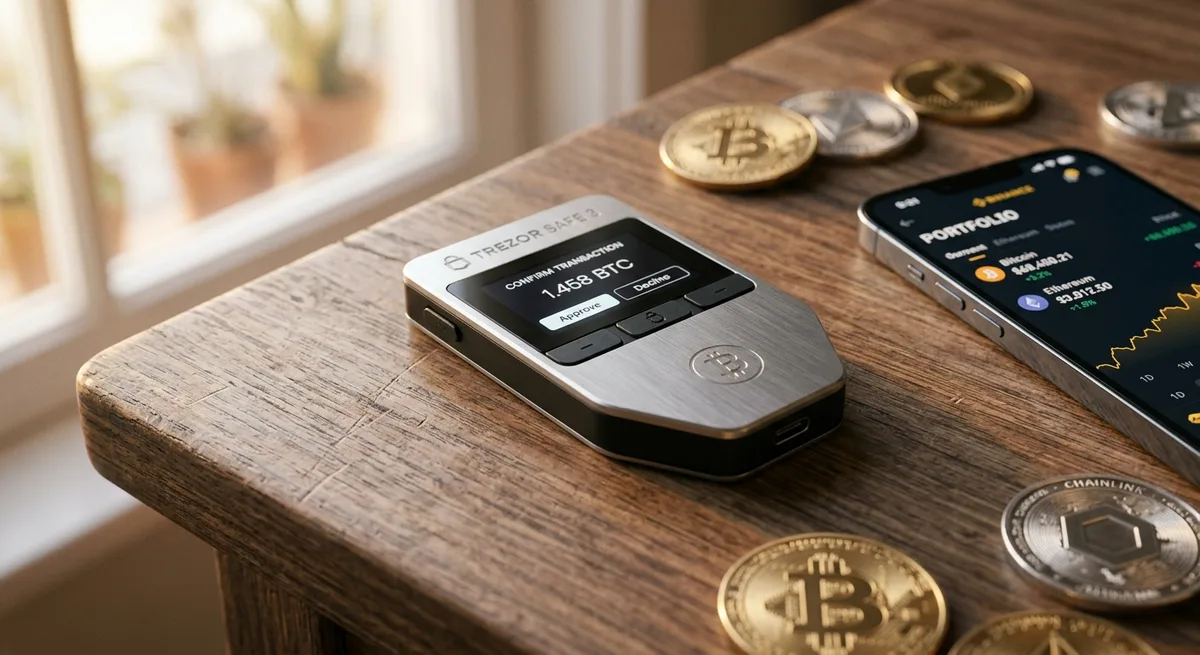
Two names come up almost every time: the Ledger wallet (Nano S Plus, Nano X, Stax) and the Trezor wallet (Model One, Model T, Safe 3, Safe 5). Beyond those, you have options like BitBox, Coldcard, Keystone, and Jade, each with its own approach to security and design.
This article isn’t a product review, so I won’t pretend one is universally “the best.” What matters more is understanding what these devices do and how to use them properly. The model is less important than your habits.
How Hardware Wallets Protect Your Crypto
The protection a hardware wallet offers comes down to a simple principle: your private keys never touch an environment that an attacker can reach remotely. Everything sensitive happens inside the device, behind a screen and a button.
If you want a broader view of safe custody practices, the guide on how to store Bitcoin safely goes deeper into the surrounding habits. But the core mechanics of a hardware wallet rest on four pieces working together.
Private Keys Stay Offline
Your private key is just a long string of characters that proves ownership of crypto on the blockchain. Anyone who has that string controls those funds. No exceptions. A hardware wallet generates this key inside the device and keeps it there. It is never copied to your computer, never synced to the cloud, never sent over Wi-Fi.
That single design choice removes the majority of attack vectors people worry about: malware scanning your files, browser extensions stealing clipboard data, infected downloads, compromised email accounts. They simply have nothing to grab.
Transaction Signing Happens Inside the Device
When you want to send crypto, the process looks something like this. You open the companion app on your computer or phone. You enter the recipient address and the amount. The app prepares the transaction, but it cannot sign it. It sends the unsigned transaction to your hardware wallet.
On the device, you see the details on its small screen: amount, recipient, fee. You verify everything physically. Only when you press the confirm button does the device sign the transaction internally and send the signed version back to the app, which broadcasts it to the network.
The key never leaves. The signature does.
Physical Confirmation Reduces Remote Attack Risk
This is the part that quietly does a lot of heavy lifting. Even if your computer is completely compromised, an attacker cannot move funds without you physically pressing a button on the hardware wallet. They can’t reach across the internet and click for you.
It sounds simple. It is simple. That is exactly why it works.
Recovery Seed Protects Access if the Device Is Lost
When you set up a hardware wallet, it shows you a list of 12, 18, or 24 words. This is your recovery phrase, also called a seed phrase. If your device is lost, stolen, broken, or eaten by a dog, you can restore your entire wallet on a new device using this phrase.
Here is the part to take seriously: the seed phrase is more valuable than the device itself. Anyone with those words can recreate your wallet anywhere in the world. Treat them accordingly.
Hardware Wallets vs Hot Wallets: The Main Security Difference
The real conversation is not “hardware wallet good, hot wallet bad.” It is about matching the tool to the situation. A deeper breakdown of this trade-off lives in the article on cold wallet vs hot wallet safety, which is worth reading once you start thinking about cold storage crypto seriously.
When a Hot Wallet Makes Sense
Hot wallets shine in the day-to-day. If you trade actively, interact with DeFi protocols, swap tokens often, or just want quick mobile access for smaller balances, a hot wallet does the job. The friction is low, the apps are polished, and the cost is zero.
For small amounts you are willing to risk, this is fine. You wouldn’t carry your life savings in cash, but you also don’t refuse to carry any cash at all.
When a Hardware Wallet Makes More Sense
The moment your portfolio reaches an amount that would genuinely hurt to lose, the calculation changes. Long-term holdings, retirement-style positions, generational savings, or even a few thousand dollars you’ve taken time to accumulate, these belong somewhere harder to reach.
Hardware wallets are also better for people who want to remove themselves from custodial risk. No exchange freezing your account. No platform going bankrupt. No KYC delays when you need access.
Step-by-Step: How to Set Up a Hardware Wallet Safely
Setting up a hardware wallet feels intimidating the first time. It shouldn’t. With hardware wallets explained step by step, the process is closer to setting up a new phone than to anything technical. The trick is to slow down and not skip the small things.
Step 1: Buy From the Official Source
Always buy directly from the manufacturer or an authorized reseller. Avoid Amazon listings from third parties, eBay, Facebook Marketplace, and any “deal” that looks too good. The risk is supply chain tampering, where someone modifies the device or includes a pre-written recovery phrase that looks legitimate.
If you are researching the best hardware wallets, start on the official websites. The few extra euros are worth not wondering whether your device is clean.
Step 2: Initialize the Device Yourself
When you turn on the device for the first time, it should ask you to generate a new wallet. It should never come with a working recovery phrase already on it. If it does, stop immediately and contact the manufacturer.
You generate the wallet. You receive the seed phrase. No one else should be involved.
Step 3: Write Down the Recovery Phrase Offline
Take a pen and a piece of paper. Write the words down in order. Double-check each one. Some people use steel backup plates for fire and water resistance, which is a smart upgrade once you understand the basics.
Do not take a screenshot. Do not type it into a notes app. Do not save it in your password manager. Do not email it to yourself “just in case.” Every one of those moves drags the phrase into the online world that you are specifically trying to avoid.
Step 4: Install the Official Wallet App
Most devices use a companion app like Ledger Live for the Ledger wallet or Trezor Suite for the Trezor wallet. These apps let you see balances, send transactions, and manage accounts. They do not store your private keys. The keys stay on the device.
Download these apps only from the official website. Bookmark the page. Phishing sites that mimic these tools are everywhere and easy to fall for if you Google in a hurry.
Step 5: Send a Small Test Transaction First
Before moving meaningful funds, send a small amount first. Maybe €10, maybe €20. Confirm it arrives. Confirm you can see it in the wallet. Confirm you understand the process from start to finish.
I know this feels slow when you’re excited to move your stack. Do it anyway. A small test transaction has saved more people from disaster than any piece of clever software.
Best Hardware Wallets: What to Compare Before Buying
Rather than ranking devices, it is more useful to look at what actually matters when choosing one. The article on the best Bitcoin wallets 2026: top picks compared goes into specific models, but here are the categories worth thinking through.
Security Track Record
How long has the company existed? How have they handled past vulnerabilities? Did they communicate openly when something went wrong, or did they try to bury it? A device backed by a transparent team with a long update history is usually safer than a newer brand with flashy marketing. Both the Ledger wallet and Trezor wallet have track records you can actually research.
Ease of Use for Beginners
Security only works if you can use it correctly. A device with a tiny screen and confusing menus might lead to mistakes that cancel out its technical strength. If you are new, prioritize clarity over feature lists.
Supported Coins and Networks
Check that the wallet supports what you actually hold. Bitcoin is universal. Ethereum and major tokens are widely supported. Smaller chains and newer networks vary widely. Don’t assume, verify.
Price vs Risk Level
A hardware wallet costs somewhere between €60 and €400 depending on the model. For someone holding €200 in crypto, that feels steep. For someone holding €20,000, it is essentially free insurance. Think in proportion to what you are protecting.
Advantages of Hardware Wallets
Hardware wallets exist because no other consumer-grade solution offers the same balance of usability and isolation. Their advantages are practical, not theoretical.
Strong Protection Against Online Attacks
Offline keys neutralize most of the threats that haunt crypto users. Malware that steals seed phrases from clipboards, phishing pages that mimic wallet logins, exchange breaches, account takeovers, none of these can move funds from a hardware wallet because the key required isn’t reachable. This is the heart of cold storage crypto.
Better Control Over Your Own Assets
A hardware wallet puts you in actual possession of your crypto. Not a balance on a screen owned by a company. Not an IOU. The coins, the keys, the access, all yours. That comes with weight, of course. There is no support line to call if you mess up. But it also means no one else can decide what happens to your money.
Useful for Long-Term Investors
If you are buying Bitcoin or Ethereum with a horizon of years, not days, you don’t need constant access. A hardware wallet matches that mindset perfectly. Check on it occasionally, sleep well otherwise.
Disadvantages and Risks of Hardware Wallets
Anyone telling you hardware wallets solve everything is selling something. Hardware wallets explained honestly include their limits.
You Can Still Lose Your Recovery Phrase
If your device breaks and you’ve also lost your seed phrase, your crypto is gone. Not “we will help you recover it.” Gone. The system has no backdoor. That is the price of true self-custody.
You Can Still Be Tricked by Phishing
A hardware wallet cannot save you from yourself. If a convincing fake website asks for your seed phrase and you type it in, the device cannot intervene. If you sign a malicious smart contract approval without reading what you are agreeing to, the device will sign it because you told it to.
Setup Mistakes Can Be Expensive
Common slip-ups include using a recovery phrase that came pre-printed in a fake box, photographing the seed for “backup,” skipping the test transaction, or copying an address from a clipboard hijacked by malware. These mistakes are avoidable, but they happen often enough to keep mentioning.
Hardware Wallets Are Less Convenient Than Exchange Storage
You have to plug in the device. You have to confirm transactions physically. You have to keep track of a backup. For someone trading several times a day, this becomes friction. Whether that friction is a feature or a bug depends entirely on your goals.
Security Best Practices When Using a Hardware Wallet
The device handles the technical security. The habits around it are up to you. For a broader look at how safe the underlying system actually is, the article on Bitcoin security: how safe is it? puts things in context. Within the cold storage crypto world, these practices matter most.
Never Share Your Recovery Phrase
No legitimate company will ever ask for your recovery phrase. Not the wallet manufacturer. Not an exchange. Not a “support agent” who messaged you on Discord. Anyone asking is trying to steal from you. This rule has no exceptions.
Verify Addresses on the Device Screen
When sending crypto, always confirm the receiving address on the hardware wallet’s screen, not just your computer or phone. Malware can swap addresses silently in your browser. The device screen is the only display you can trust completely.
Keep Firmware Updated Carefully
Firmware updates fix vulnerabilities and add features. Install them, but only through the official wallet app, and only when you initiated the process. Don’t click a link in an email telling you to “urgently update.” That is how phishing campaigns dress up.
Use a Strong PIN and Consider a Passphrase
Every hardware wallet uses a PIN to unlock the device. Choose something not trivial. For advanced users, a passphrase adds an extra word on top of the seed phrase, effectively creating a hidden wallet. Powerful, but if you forget it, your funds are unreachable. Don’t add this layer until you fully understand what you’re doing.
Store Backups in Separate Safe Locations
A single piece of paper in one drawer is a single point of failure. Consider a second copy in a different location. Think about fire, theft, water, and even what happens to your crypto if something happens to you. Inheritance planning isn’t fun to think about, but it matters more than people admit.
Common Hardware Wallet Mistakes to Avoid
Most losses don’t come from sophisticated hacks. They come from small mistakes that snowballed. Hardware wallets explained without this section would be incomplete.
Buying a Used or Pre-Configured Device
A used device might have a recovery phrase already known to the seller. They wait, you deposit funds, they drain the wallet. Always buy new, always initialize yourself.
Keeping the Seed Phrase Online
Cloud storage gets hacked. Email accounts get compromised. Note apps sync everywhere. Putting your seed phrase online turns a hardware wallet back into a hot wallet, except worse, because you’ve added a false sense of safety.
Ignoring Small Test Transactions
Skipping the test transaction is the crypto equivalent of not checking the address on a wire transfer for €50,000. Five extra minutes can prevent a permanent loss.
Blindly Approving Transactions
When interacting with DeFi protocols or signing contract approvals, read what the device is asking you to confirm. Unlimited spending approvals to unknown contracts have drained countless wallets that were technically “secure.”
Recent Developments in Hardware Wallet Security
The space has matured a lot. Modern devices look and feel like consumer tech, not lab equipment. Both the Ledger wallet and Trezor wallet have evolved, and newer entrants push the field forward.
Secure Elements and Open-Source Design
Some hardware wallets use a secure element, a tamper-resistant chip designed specifically to protect secrets. Others prioritize open-source code that anyone can audit. There is a long-running debate between the two camps. Secure elements are typically closed-source, which makes auditing harder but offers strong physical protection. Open-source designs sacrifice some hardware-level resistance for transparency. Both approaches have merit. Neither is automatically “right.”
Multisig and Advanced Self-Custody
Multisig means a transaction needs multiple keys to be approved. For example, two out of three keys held on different devices in different locations. This is powerful for serious holders or institutional setups because no single device or location can be compromised to lose funds. It is more complex to manage, so beginners usually don’t start here.
Recovery Services and Their Trade-Offs
Some manufacturers now offer optional recovery services that store an encrypted version of your seed phrase across third parties. This appeals to users worried about losing their backup. The trade-off is that you’re trusting a system instead of trusting only yourself. Whether that fits your threat model is a personal decision, not a universal one.
Who Should Use a Hardware Wallet?
Hardware wallets are not for everyone. They are for specific situations where the benefits outweigh the friction. Among the best hardware wallets, the right one depends on you, not on a ranking list.
A Hardware Wallet Makes Sense If You Hold Meaningful Crypto
“Meaningful” is personal. For some, it’s €500. For others, €50,000. The honest test is this: if you woke up tomorrow and that amount was gone, how badly would it sting? If the answer is “a lot,” your storage method probably deserves an upgrade.
A Hardware Wallet May Be Overkill for Very Small Balances
If you are experimenting with €50 to learn how crypto works, a reputable software wallet is fine. Spend the time understanding how transactions, addresses, and networks behave. Upgrade to hardware when your holdings justify it.
Active Traders May Need a Mixed Setup
Many experienced users run two systems at once. Long-term holdings live on a hardware wallet. Trading funds stay on an exchange or hot wallet for quick access. This isn’t a contradiction, it’s just matching tools to tasks.
Suggested Visuals and Tables
A few visual elements make this kind of guide much easier to absorb. If you’re publishing or sharing this content, these are worth including.
Diagram: How a Hardware Wallet Signs a Transaction
A simple flow diagram showing: wallet app prepares transaction → sends unsigned data to device → user verifies on device screen → device signs internally → signed transaction returns to app → broadcast to blockchain. Seeing it once makes the whole concept click.
Table: Hardware Wallet vs Hot Wallet vs Exchange Wallet
A side-by-side comparison covering security level, convenience, who controls the keys, recovery responsibility, and best use cases. This kind of layout helps readers see at a glance where cold storage crypto fits compared with the alternatives.
Checklist: Hardware Wallet Setup Safety
A short, printable checklist:
- Bought from official source
- Initialized the device personally
- Wrote down recovery phrase offline
- Stored backup in safe location
- Set a strong PIN
- Performed test transaction
- Verified receiving address on device
FAQ: Hardware Wallets Explained
A few questions come up over and over. Here are direct answers to the most common ones around hardware wallets explained for beginners.
Are Hardware Wallets 100% Safe?
No storage method is 100% safe. What hardware wallets do is remove the most common attack vectors that affect ordinary users. Used correctly, they offer one of the strongest security models available outside of institutional setups.
What Happens If I Lose My Hardware Wallet?
You buy a new one, restore your wallet using your recovery phrase, and access your funds again. The device is replaceable. The seed phrase is not. This is exactly why the backup matters so much.
Can a Hardware Wallet Be Hacked?
Realistically, yes, but rarely through the device itself. Most successful attacks involve phishing, fake devices sold by malicious resellers, users approving malicious transactions, or stolen recovery phrases. Direct hardware attacks exist in research labs but require physical access and specialized skills. The boring threats are far more common than the dramatic ones.
Is Ledger Better Than Trezor?
Both the Ledger wallet and Trezor wallet are reputable, widely used, and supported by years of development. Ledger uses a secure element but keeps parts of its firmware closed-source. Trezor leans heavily into open-source design but doesn’t use a certified secure element in all models. Better depends on what you value: certified hardware secrecy or full code transparency. Look at supported coins, interface preference, and your own comfort with each company’s history.
Do I Need a Hardware Wallet for Bitcoin Only?
If you only hold Bitcoin, you have more options. Bitcoin-only devices like Coldcard or the BitBox02 Bitcoin-only edition reduce attack surface by removing support for other coins. Multi-asset users will want broader support, which is where mainstream Ledger and Trezor models fit better.
Conclusion: Hardware Wallets Are About Control, Not Magic
Hardware wallets explained at their core are simple: they keep your private keys offline so attackers can’t reach them, and they require physical confirmation before anything moves. That single design choice eliminates a huge slice of the risks that haunt crypto users.
But they are tools, not magic. Cold storage crypto only works when you take the surrounding habits seriously. Backing up your recovery phrase properly. Verifying addresses on the device screen. Not approving things you don’t understand. Buying from official sources. These habits do most of the actual security work. The device is the foundation, but you are the lock.
If you are holding crypto you genuinely care about, a hardware wallet is one of the most reasonable decisions you can make. Not because it removes responsibility, but because it concentrates that responsibility in a place where you actually have control. And in a market where so much sits outside your hands, that’s worth more than it sounds.