

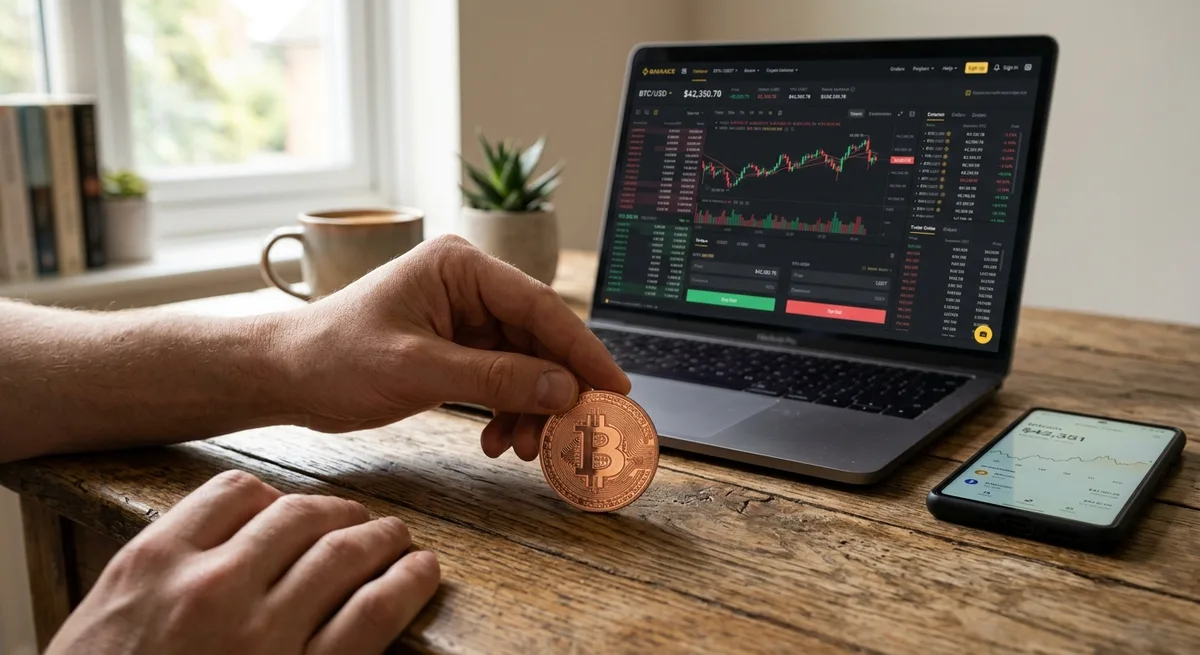
How to Cash Out Bitcoin? A Practical Guide on How to Convert Bitcoin to USD
So you want to turn your Bitcoin into actual dollars. Maybe you need the money in your bank account, maybe you just want it sitting somewhere as a USD balance, or maybe you want physical cash. Whatever the reason, figuring out how to convert bitcoin to usd is one of those things that sounds more complicated than it actually is.
The process itself is pretty simple once you understand what you’re dealing with. What trips people up are the fees they didn’t expect, the withdrawal step they forgot existed, or the sketchy platform they trusted too quickly. None of that needs to happen to you.
This guide walks through the main options, the actual steps, and the things worth watching out for. If you’re still getting your head around the basics, start with this overview of What Is Bitcoin before going further.
What “Converting Bitcoin to USD” Actually Means
When people search how to exchange bitcoin to usd, they’re often describing three slightly different things without realizing it.
The first is selling Bitcoin for dollars on a platform. Your BTC is converted, and now your account shows a USD balance.
The second is withdrawing that balance to a bank account or debit card. This is when the money actually leaves the crypto world and lands somewhere you can spend it.
The third is moving the value into an app that holds dollars. You no longer hold Bitcoin, but the money hasn’t gone to your bank yet either.
This distinction matters more than it seems. A lot of people sell their BTC and then wonder why there’s nothing in their checking account. The answer is usually that they forgot the withdrawal is a separate step.
Think of it this way: selling $500 worth of Bitcoin gives you a $500 USD balance inside the exchange. That balance just sits there until you move it somewhere. So break the process into two parts. Sell Bitcoin first, then move the dollars. Once that clicks, the rest is pretty straightforward.
The Main Ways to Cash Out Bitcoin to USD

There’s no single best method for everyone. It comes down to how much you’re selling, how fast you need it, what fees you’re okay with, and how comfortable you are with crypto platforms in general.
For most people trying to cash bitcoin to usd, the realistic options are crypto exchanges, wallet or app-based cash outs, Bitcoin ATMs, and peer-to-peer sales. If you want more background on how these platforms work before diving in, this guide on What Are Bitcoin Exchanges is worth a read.
Here’s the quick version:
- Crypto exchanges are usually the best all-around option for cost and control.
- Wallets and financial apps are often the easiest starting point, especially if your BTC is already there.
- Bitcoin ATMs work for local cash, but fees tend to be painful.
- Peer-to-peer sales offer flexibility, but they require more judgment and more caution.
Crypto Exchanges
Exchanges are where most people end up, and for good reason. You deposit BTC, sell it for USD, and withdraw the dollars to your bank. It’s a clean process with decent transparency. You can usually see trading fees, withdrawal options, and pricing before you do anything.
This approach makes the most sense if you care about rates, want direct bank withdrawals, or you’re selling anything more than a very small amount. If pure convenience is what you’re after, app-based methods might suit you better.
Wallet and App-Based Cash Outs
Some crypto wallets and financial apps let you sell Bitcoin directly inside the platform, which saves you the step of moving funds to a separate exchange. This is often what people mean when they ask how to transfer bitcoin to usd wallet. In practice, it usually means selling BTC inside a wallet app that supports a fiat balance, or moving your BTC to an app where you can convert and hold dollars.
The upside is convenience. The downside is that fees, spreads, and withdrawal rules vary a lot. Some apps are great for small amounts but start to look expensive once you’re selling more. For more on how wallets fit into the picture, see Bitcoin Wallets Explained.
Bitcoin ATMs and Peer-to-Peer Options
These two exist and can be useful, but they both require more care than the methods above.
A Bitcoin ATM might let you sell BTC and receive physical cash on the spot. That’s genuinely useful in some situations, but the fees are often dramatically higher than exchange fees. It’s not uncommon to lose 8 to 12 percent of the value in the process.
Peer-to-peer means selling directly to another person through a marketplace or private deal. You get flexibility in payment method and timing, but fraud risk is real, pricing can be all over the place, and disputes are harder to resolve. These options aren’t off the table, but for most beginners a trusted platform is the safer place to start.
Step-by-Step: How to Convert Bitcoin to USD
The steps below are how most people actually do this. The details will vary slightly depending on which platform you use, but the flow is largely the same everywhere. If you want more context on the transfer side, this guide on Bitcoin Transactions Explained Step by Step fills in a lot of gaps.
Step 1: Choose a Trusted Platform
Don’t start with the Bitcoin sale. Start with the platform.
Look for a service with a solid reputation, clear fee disclosures, real customer support, and secure withdrawal options. Check whether it supports bank transfers in your country. Look into daily limits, verification requirements, and whether people report issues with frozen withdrawals or unresponsive support.
The rule of thumb is simple: if a platform looks vague, rushed, or too good to be true, skip it. You’re moving real money here.
Step 2: Complete Identity Verification
Most regulated platforms require KYC before you can withdraw fiat. That means uploading an ID, sometimes proof of address, and waiting for approval. It can feel like a hassle, especially when you just want to sell, but it’s standard practice for any platform that lets you pull money into a bank account.
Some people go looking for how to convert bitcoin to usd without verification. Those options exist, but they tend to be more limited, more expensive, or riskier. Better to handle verification properly upfront, before you’re in a rush and the money is sitting there waiting.
Approval usually takes minutes, but it can take days on busier platforms. Do this before you actually need the money.
Step 3: Send Bitcoin to the Platform
If your BTC is already on the platform, skip this. If not, you’ll need to deposit it into your account wallet there.
The thing to get right here is the deposit address and the network. Sending to the wrong address, or using the wrong network, can mean losing those funds. There’s no undo button on blockchain transactions. Imagine standing there after hitting send and suddenly second-guessing whether you copied the address correctly. To avoid that feeling, a lot of people send a small test amount first before moving anything significant. It’s a small extra step that can prevent a very expensive mistake.
Once your BTC arrives, wait for the required confirmations. During busy periods on the network, this can take longer than expected.
Step 4: Sell Bitcoin for USD
This is the actual conversion. Most platforms offer two options: a market sell or a limit sell.
A market sell executes immediately at whatever price is available right now. A limit sell lets you set the minimum price you’re willing to accept and waits until the market gets there.
If speed matters most, go with a market sell. If you’d rather wait for a specific price, a limit order gives you that control. For most beginners working out how to cash out bitcoin to usd, a straightforward market sell on a reliable platform is the easiest place to start. Just be aware that during volatile moments, execution price can move quickly.
Once the sale goes through, your BTC is gone and your account holds a USD balance. One step left.
Step 5: Withdraw USD to Your Bank or Cash Balance
Now you choose where the money goes. Most platforms support bank account withdrawals. Some also let you send to a debit card or keep the funds in an app balance for later use.
Timing varies. Some withdrawals land within minutes. Others take one to three business days. Before confirming, check the fees, any minimum withdrawal amounts, and whether the platform holds newly sold funds for a period before releasing them. Some do. It’s annoying, but it’s worth knowing in advance.
Once the withdrawal clears, the conversion is done.
How to Convert Bitcoin to USD on Popular Platforms
The basic process is similar across most major platforms, but the interface and local withdrawal options can differ. Before you sell anything, it’s worth checking the expected payout using a Bitcoin to USD Converter, especially if you want to compare what different amounts might return.
How to Convert Bitcoin to USD on Coinbase
Coinbase is one of the more beginner-friendly options. If your BTC is held elsewhere, send it to your Coinbase Bitcoin wallet first. Once it arrives, open the sell function, choose Bitcoin, enter the amount, and review the estimated payout. Coinbase shows the rate, the fees, and the final USD amount before you confirm anything.
After the sale, you can keep the dollars in your cash balance or withdraw to a linked bank account. The interface does change periodically, so always verify the current steps inside the app itself.
How to Convert Bitcoin to USD on Binance
For those asking how to convert bitcoin to usd on binance, the key thing to know is that fiat support depends heavily on your country, account type, and local regulations.
Generally, you deposit BTC if needed, head to the trading or convert section, and sell into a USD-supported balance or a locally available fiat equivalent. After that, you withdraw using whatever method is active for your region. Some users see direct USD options. Others may need to convert through a local fiat balance first. Always check what’s actually available on your account before selling.
How to Convert Bitcoin to USD on Cash App
If your Bitcoin is already inside Cash App, this is probably the simplest cash-out experience of the three. Open the Bitcoin section, select the sell function, enter the amount, and review the quote. Cash App shows the value, any spread or fees, and the final cash amount.
After the sale, the money lands in your Cash App balance. From there you can keep it in the app, use it for payments, or move it to your linked bank account. The ease of use is why many beginners gravitate toward it. The tradeoff is that convenience doesn’t always come with the best rate.
Fees, Spreads, and Conversion Rates to Watch Before You Sell
A lot of people only look at the Bitcoin price and assume that’s what they’ll get. It’s not. Your actual payout depends on several layers of cost stacked on top of each other. For more context on how value shifts through the process, this guide on Bitcoin to USD Conversion is worth a look.
Common Fee Types
There are four main costs to be aware of:
- Trading fee: Charged when you sell BTC for USD on the platform.
- Withdrawal fee: What the platform charges to send your dollars to a bank or card.
- Network fee: If you’re moving BTC onto the platform first, you’ll pay a Bitcoin network fee for that transfer.
- Spread: The gap between the market price and the price the platform actually offers you. This one is easy to miss because some apps build it into the quote rather than showing it as a separate line item.
An app might advertise low fees but quietly offer you a worse exchange rate. Another might show a visible fee but give you a tighter spread. What actually matters is the amount that hits your account after everything is settled.
How to Reduce Conversion Costs
Compare total payouts, not just one fee line. Check the sell quote on more than one platform if you have time. A service with a slightly higher trading fee can still come out ahead if the spread is tighter.
Avoid selling during extreme volatility if you can. Fast-moving markets often produce worse execution and wider spreads. Check network congestion before sending BTC onto a platform, because high network fees can eat into your payout before you even get to the sale. Bank withdrawals are usually cheaper than card-based cash outs, even if they’re slower.
And if you’re cashing out a meaningful amount, it’s worth taking a few minutes to plan it rather than rushing through it.
Safety Tips When Cashing Out Bitcoin
Cashing out is a moment when mistakes and scams tend to cluster, because money is visibly in motion and people are sometimes in a hurry. That doesn’t make the process inherently risky, but it does mean staying deliberate matters. For a fuller breakdown of what to watch for, read Bitcoin Scams: Common Frauds to Avoid.
Basic Security Checks Before You Sell
- Enable two-factor authentication on your account before doing anything else.
- Type platform URLs directly or use saved bookmarks. Don’t click links from random messages.
- Double-check every wallet address and bank detail before confirming a transfer.
- Use platforms with real reviews, clear support channels, and a track record you can verify.
- If you’re sending BTC to an exchange for the first time, do a small test transfer first.
These are simple habits, but they prevent a large share of avoidable losses.
Red Flags That Should Make You Stop
Be cautious if someone pressures you to move fast. Urgency is a classic manipulation tactic.
Ignore unsolicited support messages on social media, WhatsApp, email, or anywhere else. Legitimate platforms don’t contact you out of nowhere offering help.
Don’t trust guaranteed rates that look significantly better than the market. If the deal seems too clean, it probably isn’t real. And if a peer-to-peer buyer suddenly wants to switch payment methods halfway through a transaction, stop the deal. That’s one of the most common setups for getting scammed.
The right move in crypto is usually the boring, methodical one.
Tax and Record-Keeping Considerations
In many countries, converting Bitcoin to USD is a taxable event. If you sold at a gain, that gain may need to be reported. This isn’t something to figure out after the fact.
Keep records of your purchase price, sale price, fees paid, dates, and withdrawal history. If you bought Bitcoin at multiple points over time, tracking your cost basis becomes even more important because each sale may have a different tax outcome.
A simple spreadsheet or a portfolio tracker handles this without much effort. For a more detailed breakdown, see Bitcoin Taxes Explained. Good records also make it easier to look back and assess whether your cash-out approach is actually working the way you planned.
Quick Glossary of Terms You’ll See During the Cash-Out Process
Wallet: A tool that stores your crypto and lets you send or receive it.
Exchange: A platform where you can buy, sell, and convert crypto.
Spread: The gap between the market price and the price you’re actually offered.
Market order: A sale that executes quickly at the current available price.
Limit order: A sale that only executes at a price you choose or better.
Network fee: The fee paid to process a crypto transaction on the blockchain.
Withdrawal: Moving money out of a platform to your bank, card, or another destination.
KYC: Identity verification required by most platforms before you can withdraw fiat currency.
FAQ About Converting Bitcoin to USD
How long does it take to convert Bitcoin to USD?
It depends on three things: how long account verification takes, how quickly your Bitcoin transfer confirms on the blockchain, and how fast your withdrawal processes after the sale.
If your account is already verified and your BTC is already on the platform, the sale itself takes seconds. A bank withdrawal might land the same day or take a few business days depending on your provider. Starting completely from scratch, with verification pending, can add meaningful delays.
What is the cheapest way to cash out Bitcoin?
Usually a reputable exchange with low trading fees, a tight spread, and reasonable bank withdrawal costs. But there’s no universal answer because the cheapest route depends on the platform quote at the time, the Bitcoin network fee when you transfer, and how you withdraw.
Always compare the final amount you actually receive, not just the advertised fee. Convenience-focused services that hide large spreads in their quotes often look cheap on the surface but cost more overall.
Can I convert Bitcoin to USD without a bank account?
Yes, in some cases. You can sell BTC into an app cash balance, withdraw to a prepaid debit card, use a Bitcoin ATM, or arrange a peer-to-peer sale for cash. Each option has tradeoffs around speed, cost, limits, and safety.
For most people, a bank account is still the simplest and lowest-friction path. If you don’t have one, alternatives exist, but choose carefully.
Is it better to use an exchange, app, or ATM?
For most people, an exchange offers the best combination of price, control, and reliability. An app is easier to use but often costs more through wider spreads or extra fees. An ATM gives you physical cash quickly but is typically the most expensive option by a wide margin.
If you’re just getting started, an app or major exchange is usually the safest place to begin.
Conclusion
The safest and most practical route for converting bitcoin to usd is the same for most people: pick a trusted platform, finish verification before you need it, send Bitcoin carefully, sell with a plan, and withdraw through a method you actually understand.
Don’t focus only on speed. Look at your total fees, check the actual payout amount, and verify every detail before confirming anything. Crypto tends to reward patience over urgency. If you stay methodical, compare your options, and avoid rushing, cashing out Bitcoin is a process you can handle confidently and on your own terms.